How to pick a template for your matchday post
Choose a matchday template by what the post is for (team news, players and parents, stories), check it against your colours, then make it yours.
Last updated
A matchday post has one job: tell people who is playing, fast, in a way that looks like your club. Templates give you a finished look in one tap (court, cards, poster layout, team-name style and scoreboard) while your players, positions and match details stay exactly as you set them. Here is how to choose one.
Start from what the post is for
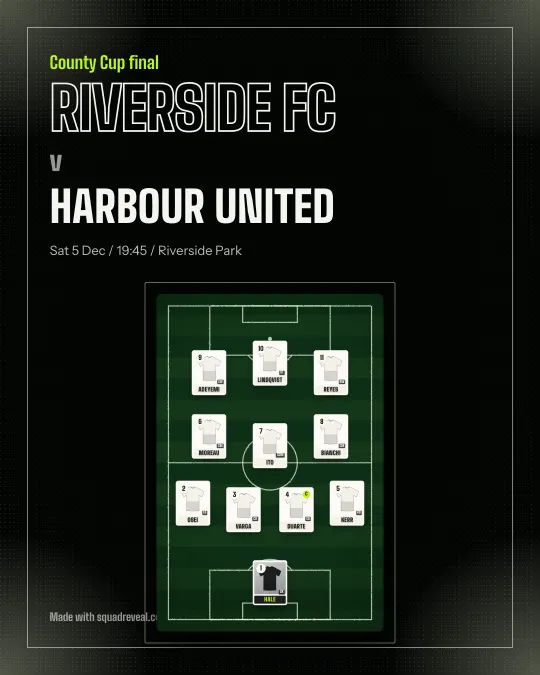
- Announcing the team on match day: a template that leads with the fixture, such as Cup Final (a programme cover) or Derby Day (your star player up front).
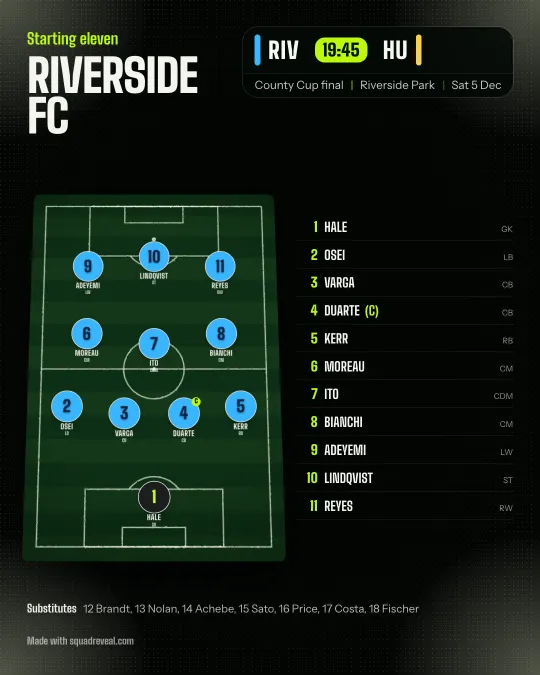
- Informing players and parents: readability beats drama. Youth Matchday and Training Session put a numbered team sheet beside the court, so everyone finds their name in a second.
- Stories and reels: Night Game stacks everything for a 9:16 screen and ends your reveal video on the same poster.
- Something with character: Retro Classic puts the formation in giant outline type on old paper.
Check it against your colours
Every template suggests kit colours. Keep them for a fresh look, or switch off Also use its kit colours and the template wraps around your own kits. Strong, flat colours read best on the kit band and split scoreboard; striped kits still show on the cards.
Make it yours
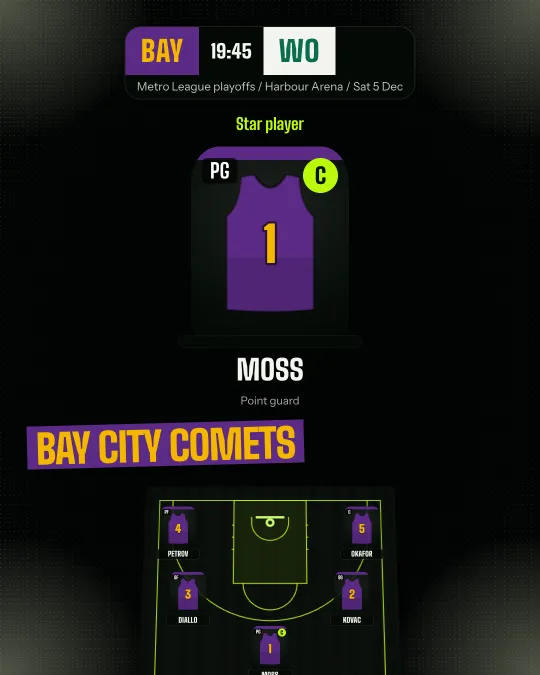
A template is a starting point. In the Look tab you can change the court, the cards, the poster layout, the team-name style or the scoreboard on their own, and the post follows. Sport templates are there too: Playoffs for basketball, Set Point for volleyball and Futsal Showdown for futsal.
A quick checklist before you post
- Names short enough to read (set a shorter name on the card if needed).
- Opponent, competition and kickoff filled in, so the scoreboard is complete.
- The right size: post for the feed, story for stories, landscape for X.
Open the lineup builder, choose Start from a template on Your lineups, or open the Look tab of a lineup you already have.